What an Odoo implementation actually involves
The software is the small part. Most of an Odoo implementation is your business deciding how it works, written down, and that work cannot be outsourced to a partner.
Process mapping
Somebody documents how orders, stock, invoices and approvals move through your business today. This is where undocumented processes surface, and they surface expensively.
Expect to find at least one process that exists only in one person's head, and at least one that two departments describe differently. Both have to be resolved before configuration, because an ERP system cannot implement a disagreement.
This phase is often shortened to save money. It is the worst place to save money.
Configuration and data migration
Configuration is where most of the system gets built, and it needs no code.
Data migration runs alongside it: the chart of accounts, customers, suppliers, products, opening balances, stock quantities. Migrating bad data is how you get a new system nobody trusts by week three, so clean it before it moves rather than after.
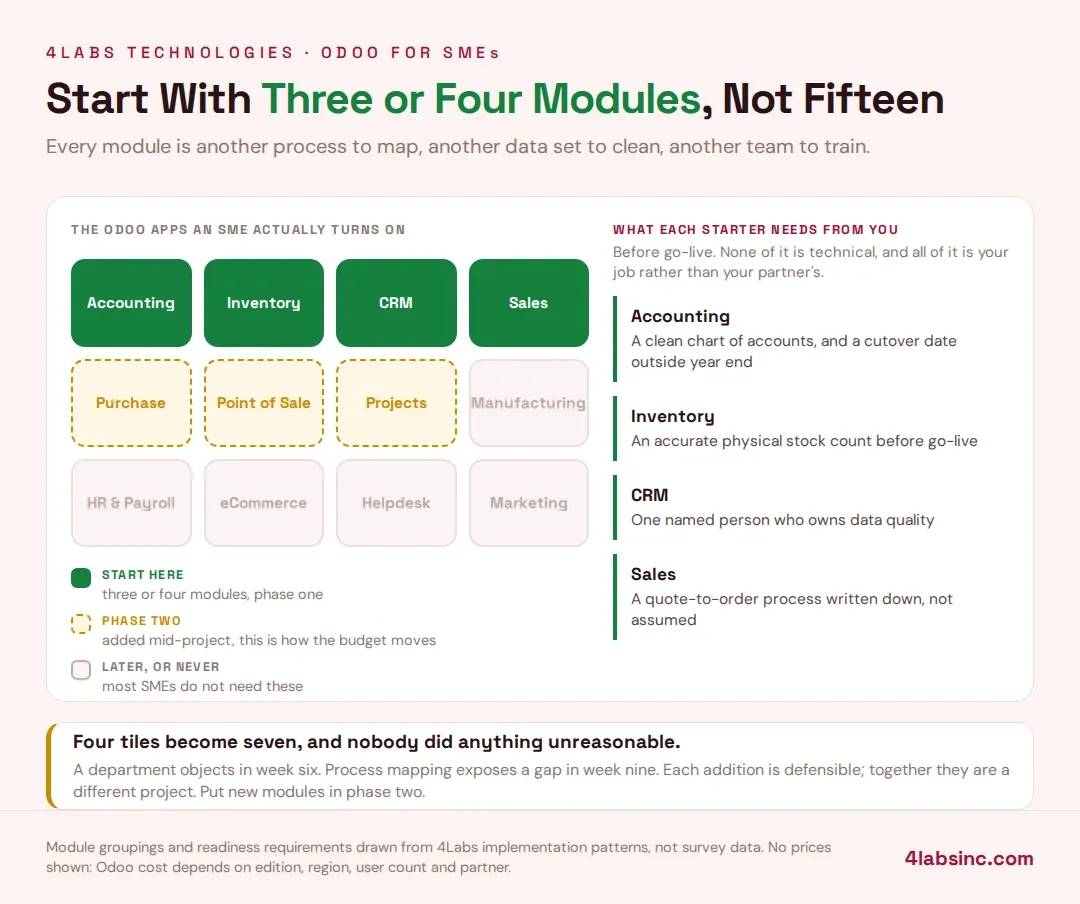
Agree the cutover date early, and pick one that does not fall in your busiest month or across a year end.
Customisation, and the three kinds of it
This distinction matters more than anything else in this section.
Configuration is settings and options. No maintenance cost.
Odoo Studio work builds fields, views and simple automation without writing code. Low maintenance cost, and usually survives an upgrade.
Development is custom modules and real code. It does whatever you need, and it has a maintenance cost at every Odoo version upgrade, every year, for as long as you keep it.
None of these is wrong. What is wrong is not knowing which one you are buying. Ask your Odoo partner to label every item on the quote, and ask what each one costs to maintain through an upgrade.
Training and go-live
Train close to go-live rather than months before, and train on your data rather than a demo database.
Prefer a phased rollout to a big bang. Bringing two modules live, letting people settle, then bringing the next two, is slower on paper and faster in practice. A big-bang go-live puts every department into a new system on the same Monday, and the support load is exactly as bad as that sounds.
The general sequencing applies to any platform, and our post on ERP implementation best practices covers it in more depth.
The first ninety days
Every guide treats go-live as the finish. It is the point where adoption is won or lost.
In the first ninety days you will find processes that do not fit, reports nobody uses, and at least one person quietly running a parallel spreadsheet. Budget time and partner hours for this window. A project that ends the week after go-live leaves those problems permanent.