Five things to fix, in the order that works
You cannot protect what you have not found, so classification comes before any purchase. Every other step in this list gets cheaper and more effective once step one is done.
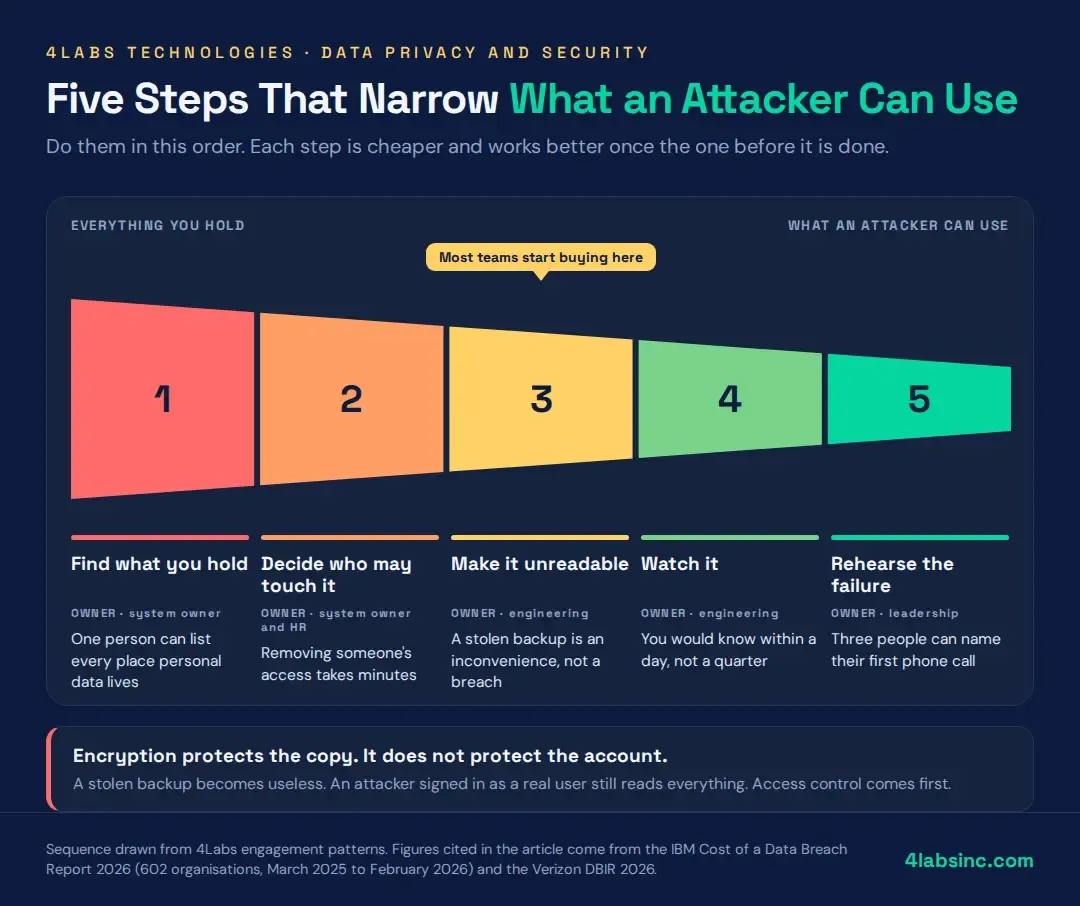
Each step below has the same three parts: what it is, who owns it, and how you know it worked. If you cannot answer the third part, the step is not finished.
1. Find out what you hold
Build a list of every place personal data lives. Databases, spreadsheets, shared drives, support tools, marketing platforms, the analytics product someone connected three years ago, the AI assistant a team started using last month.
For each one, record what data it holds, who can reach it, which country it sits in, and why you still have it. Half the value of this exercise sits in that last question. Most businesses find data they no longer need, and deleting it is the
cheapest data security win available.
Owner: whoever owns the systems. In a small company that is the person who pays the bills.
Done when: one named person can list every place personal data lives without asking around.
2. Decide who may touch it
Give each person the least access their job needs, and no more. This is where the biggest risk reduction per pound sits, and in most businesses it needs no new product at all.
There are three jobs here. Review who can reach the systems from step one and remove what is not needed. Fix the joiner, mover and leaver process so access changes when roles change. Turn on multi-factor authentication everywhere, starting with email and admin accounts.
Access control is also the honest answer to shared logins. If four people use one account, you have no audit trail and no way to remove one of them.
Owner: the system owner, with HR involved in the leaver half.
Done when: removing someone's access takes minutes, not a ticket queue.
3. Make it unreadable to everyone else
Encrypt sensitive data at rest and in transit, and manage the keys somewhere other than the server holding the data.
Most platforms now offer this as a setting rather than a project. Turn it on, then check it is actually on, because defaults change and nobody announces it.
One honest note that vendors rarely offer. Encryption protects the copy, not the account. If an attacker signs in as a real user, the data decrypts for them exactly as it does for that user. That is why access control comes first in this order. Encryption is the second lock, not the first.
Owner: engineering, or your platform provider if you have no engineers.
Done when: a stolen backup or a lost laptop is an inconvenience rather than a data breach.
4. Watch it
Turn on logging, send the logs somewhere they survive, and set alerts on the handful of events that matter.
You do not need a security operations centre to start. Alert on new admin accounts, on logins from places you do not operate, on large exports, and on changes to access rules. Four alerts that someone reads beat four hundred that nobody does.
Owner: engineering, with a named person who reads the alerts.
Done when: you would know within a day, not a quarter.
5. Rehearse the failure
Write a short incident response plan and practise it once. Not a binder. Two pages.
The plan needs four things: who decides it is an incident, who talks to customers, who talks to the regulator, and where the backups are. Then run it as a tabletop exercise over lunch. The first rehearsal always finds something broken, which is the point.
Breach notification clocks are short and they start when you become aware, not when you finish investigating. A team that has practised once moves at a completely different speed.
Owner: a named person in leadership. Not a committee.
Done when: three people can name their first phone call without looking it up.
Stuck at step one? That is the normal place to stall, because the inventory has no obvious owner and everyone assumes someone else has it. A short cybersecurity review can map what you hold and who can reach it in a couple of weeks.